
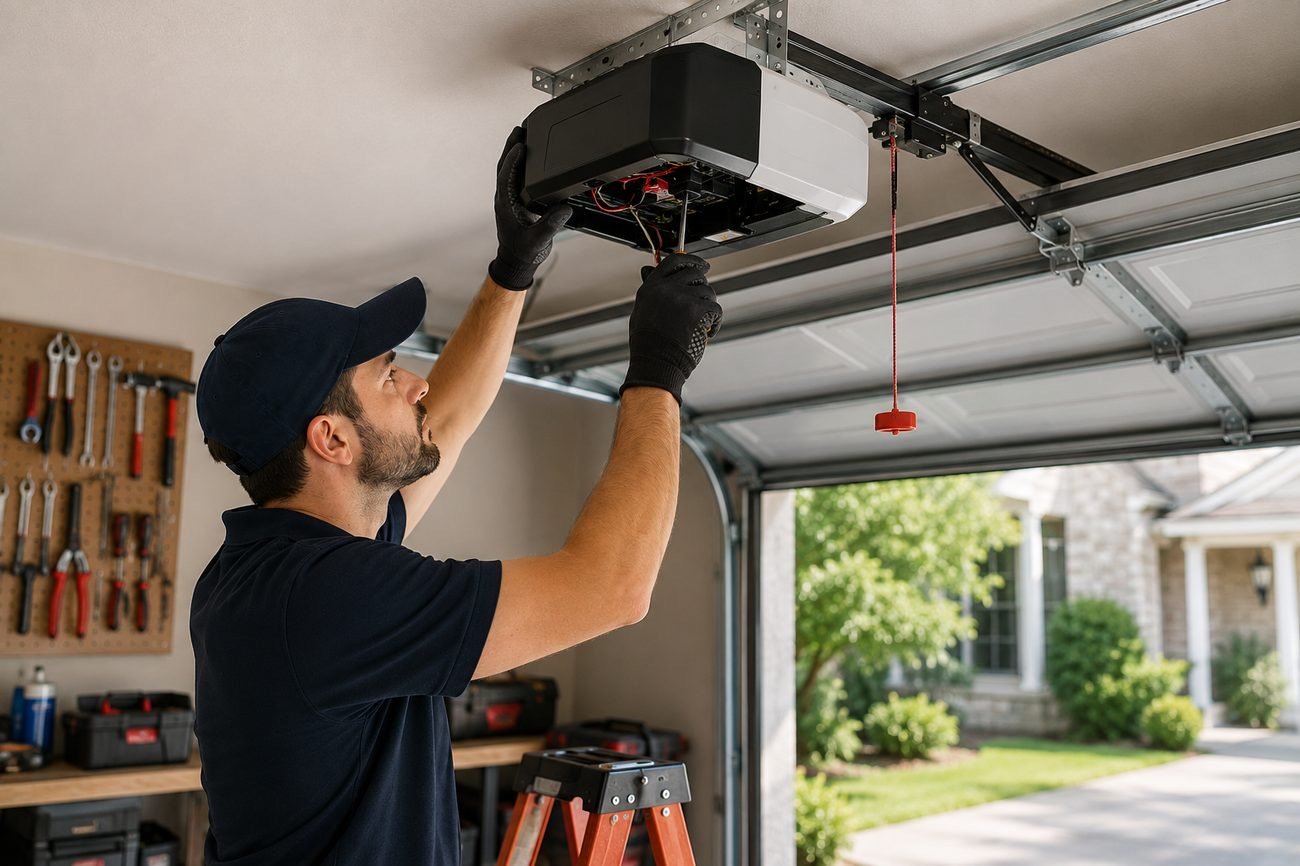
Why Your Garage Door Opener Isn't Responding
You press the button. Nothing happens. No click, no hum, no movement. A garage door opener not responding is one of the most common calls we get at Red Oak Garage Door Service and Repair, and the good news is that a fair number of those calls turn out to be something you can check yourself in a few minutes. The trick is to check things in the right order—the same order a technician uses—so you don't waste time guessing or, worse, start loosening bolts that don't need loosening.
Before you call anyone, work through the six checks below. They go from the simplest and most likely to the least common and most involved: remote batteries, wall button, lock mode, breaker, photo eyes, and finally a dead motor. If you get through all six and the door still won't budge, that's your cue to pick up the phone. We're family-owned, based in Garfield Heights, and we've been working on openers across Greater Cleveland since 2009.
1. Start With the Remote Batteries
It sounds too simple, but a dead battery in the remote is the number one cause of a garage door opener not responding. Remotes sit in hot cars, get dropped, and quietly drain over months. Before you assume the opener is broken, try these quick tests:
- Press the wall button. If the door opens from the wall but not the remote, the opener is fine and the problem is the remote or its battery.
- Watch the remote's indicator light. Most remotes have a small LED that blinks when you press a button. No blink usually means a dead battery.
- Try a second remote or the keypad. If one remote works and another doesn't, you've isolated the problem.
- Replace the battery. Most remotes take a standard coin cell or A23 battery. Match the number printed on the old battery exactly.
If a fresh battery doesn't fix it, the remote may have lost its programming. Re-pairing a remote is usually a matter of pressing the learn button on the opener and then the remote button—check your opener's manual for the exact sequence, since it varies by brand.
Fast local service across Garfield Heights and Greater Cleveland — free written estimate before any work.
2. Test the Wall Button
The wall button is your most reliable diagnostic tool. It's wired directly to the opener, so it bypasses the radio receiver entirely. Press it and watch what happens:
- Door opens from the wall button but not the remote: the opener is working; the issue is the remote, its battery, or the radio receiver.
- Nothing happens from either: the problem is at the opener itself—power, lock mode, safety sensors, or the motor.
- Wall button works intermittently: a loose wire at the button or at the opener terminal is a common culprit. With the power off, check that the wires are snug.
If the wall button is a wireless model, treat it like a remote and check its battery too.
3. Check for Lock Mode
Many openers have a vacation lock or lock mode that disables the remotes while you're away. It's a security feature, but it's easy to trigger by accident—especially on wall consoles where the lock button sits right next to the light button. When lock mode is on, the opener will ignore every remote and keypad command, which looks exactly like a garage door opener not responding.
Look at your wall console. If there's a lock indicator light on, or a lock icon that's illuminated, press and hold the lock button for a few seconds to turn it off. On some models the lock engages automatically after a set time, so check your manual if you're not sure how yours behaves. Once lock mode is off, try the remote again.
4. Look at the Breaker and the Outlet
Openers need power, and a tripped breaker or a loose plug is a surprisingly common cause. Head to your electrical panel and look for a tripped breaker—one that's halfway between on and off. Reset it firmly. Then check the outlet the opener is plugged into:
- Is the opener's plug fully seated in the outlet?
- Is the outlet controlled by a wall switch that got flipped off?
- Is there a GFCI outlet nearby that has tripped? Press the reset button.
If the breaker trips again immediately after you reset it, stop and call a technician. A repeatedly tripping breaker can point to a wiring or motor problem that isn't a DIY fix.
5. Inspect the Photo Eyes
The safety sensors—the two small lenses mounted near the floor on each side of the door—tell the opener it's safe to close. If they're misaligned, blocked, or dirty, the opener may refuse to close the door, and on some models it won't open either. This is one of the most frequent reasons for a garage door opener not responding.
Check these things:
- Look for the indicator lights. Most sensors have a small LED. A steady light on both usually means they're aligned; a blinking or dark light points to a problem.
- Clear the path. A broom, a trash can, or a pile of leaves between the sensors will stop the door.
- Wipe the lenses. Dust and cobwebs can block the beam.
- Check alignment. The sensors should point at each other. A gentle nudge—or a bumped bracket—can knock them out of line. Loosen the wing nut, aim carefully, and tighten.
- Look for sun glare. Late-afternoon sun hitting one sensor can confuse it. Shade the sensor with your hand and try the door.
If the sensors are aligned and lit but the door still won't move, the problem is likely further up the chain.
6. Listen for a Dead Motor
If you've made it through the first five checks and the opener still does nothing, it's time to listen closely. Press the wall button and pay attention to what you hear—or don't hear.
- Complete silence: the opener isn't getting power, or the motor or control board has failed.
- A hum but no movement: the motor is trying to run but something is seized—often a broken spring, a bound track, or a stripped gear.
- A click, then nothing: the logic board may be receiving the signal but failing to start the motor.
- Lights flash but no movement: the opener is detecting a fault, often a safety sensor issue or a force adjustment problem.
A humming opener with a broken spring is a safety concern—do not keep pressing the button, because the opener can damage itself further. Springs are under high tension and should only be handled by a trained technician. If you suspect a spring problem, stop and call us.
When to Call a Technician
If you've replaced the remote battery, tested the wall button, turned off lock mode, reset the breaker, and cleaned and aligned the photo eyes, and the door still won't respond, the issue is inside the opener or in the door's mechanical system. That's the point where a professional diagnosis saves you time and prevents damage. Our team handles opener repair and replacement, and we can also check the door's springs, cables, and rollers while we're there—because a failing door can make a healthy opener look broken.
We offer garage door opener service and garage door repair throughout Garfield Heights and the surrounding communities. If your opener is older and parts are hard to find, we can talk through replacement options, including quiet belt-drive and smart openers. You can also request a free quote or see photos of recent work to get a sense of what we do.
For prompt local service, call (216) 395-1738. We're available Monday–Friday 7am–7pm, Saturday 8am–5pm, and our 24/7 emergency line is always open.
FAQ
Why does my garage door opener not respond to the remote but works from the wall button?
That pattern almost always points to the remote itself—a dead battery, a lost programming code, or a damaged button. Replace the battery first, then re-pair the remote using the learn button on the opener. If a second remote works fine, the original remote is the problem.
Could lock mode be why my opener isn't responding?
Yes. Lock mode disables all remote and keypad commands, so the opener appears dead even though it's working. Check your wall console for a lit lock indicator and press and hold the lock button to turn it off. The wall button should still operate the door while lock mode is on.
My photo eyes look fine. Why won't the door close?
Even a slight misalignment or a smudge on the lens can break the beam. Wipe both lenses, check that the indicator lights are steady, and make sure nothing is in the path. Direct sunlight can also interfere—try shading the sensor and testing again.
Is it safe to keep pressing the button if the opener hums but the door doesn't move?
No. A hum with no movement often means a broken spring or a seized component. Continuing to run the opener can burn out the motor or damage the door. Stop pressing the button and call a technician—springs are under high tension and should not be handled by homeowners.